A channel for every workflow
Give Stripe, GitHub, CI, cron, and internal jobs their own webhook URL so every event lands with clear ownership.
Hooook gives every workflow a webhook channel, turns incoming payloads into readable events, and pushes the important ones to your iPhone.
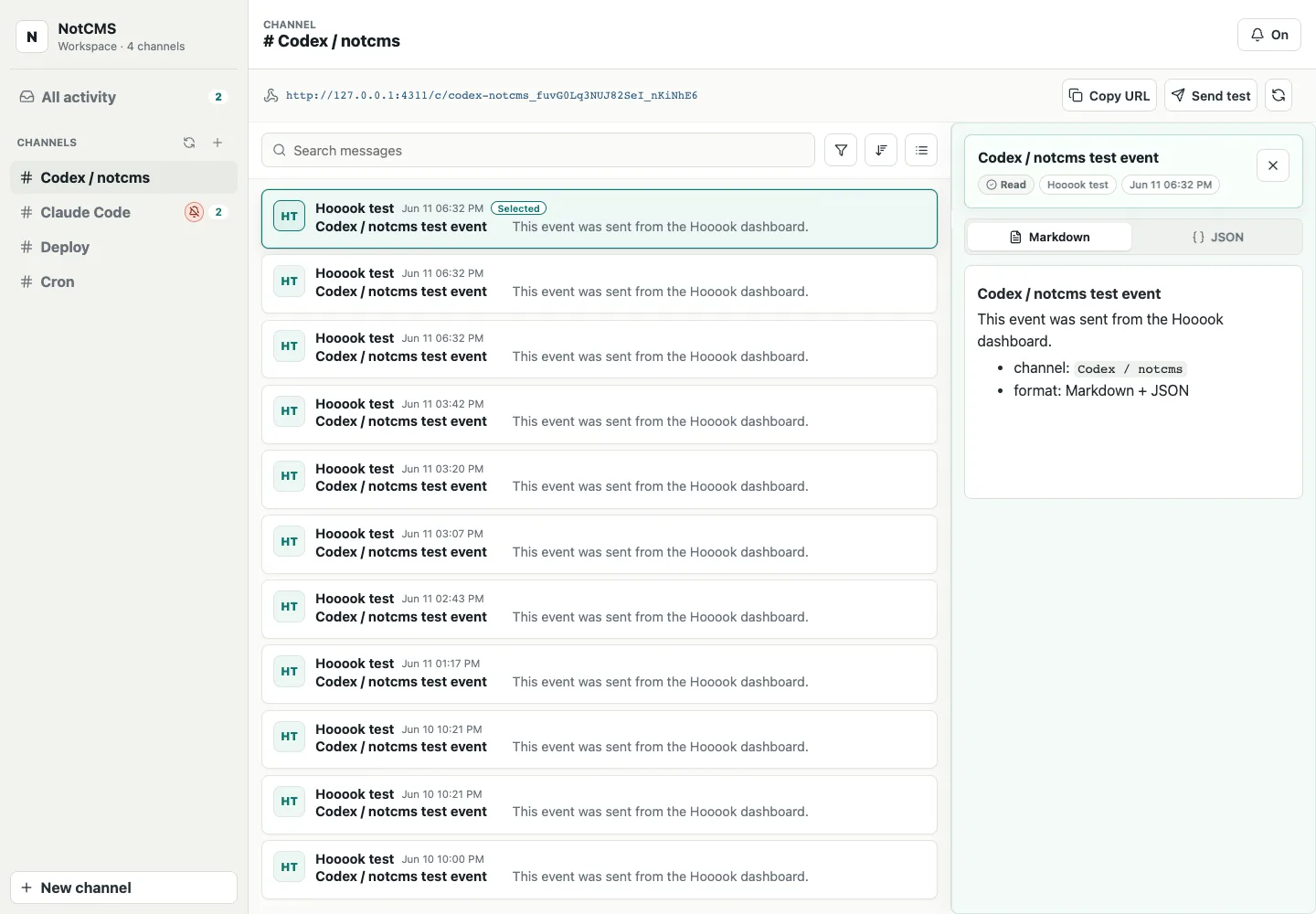
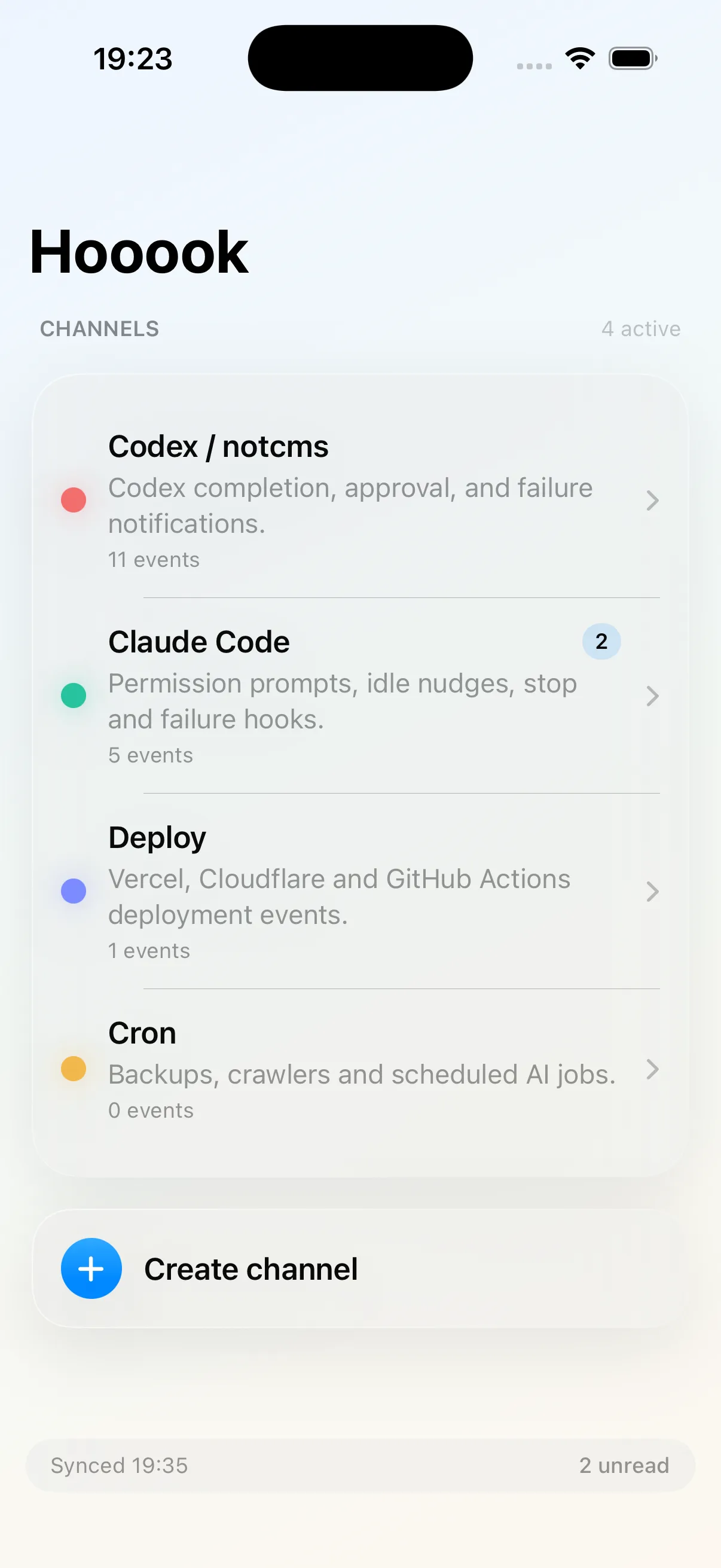
Webhook tools are good at catching requests. Hooook focuses on what happens next: who saw it, what it means, and whether it needs action.
Give Stripe, GitHub, CI, cron, and internal jobs their own webhook URL so every event lands with clear ownership.
Turn raw JSON into readable Markdown, event summaries, and searchable detail without losing the original request.
Send urgent hooks to your phone while keeping routine noise in the web inbox for later triage.
Track lightweight incident states across a team instead of letting important callbacks disappear into logs.
Keep the developer speed of a temporary webhook URL, then add the team affordances that make events actionable.
Create a channel and paste its URL into any webhook sender.
Read the normalized event, inspect payload detail, and add context.
Escalate the events that should interrupt you on iPhone.
Ack, replay, or close the loop once the workflow is handled.
Route each source to a named channel and keep the event history close to the people who need to act on it.
Deployments, CI failures, preview URLs, and release jobs.
Failed invoices, disputes, refunds, and subscription lifecycle hooks.
Forms, support automations, CRM callbacks, and onboarding events.
Cron results, backup status, sync drift, and health checks.
Create a channel, paste the URL into any provider, and watch events appear in the dashboard before deciding which ones deserve a phone notification.
Create channelcurl -X POST https://api.hooook.dev/api/channels/prod/events \
-H "content-type: application/json" -d '{
"source": "stripe",
"type": "invoice.payment_failed",
"priority": "high"
}'Open the dashboard, create a channel, and turn the next callback into an event your team can actually close.
Open dashboard